
It seems that Facebook has finally listened to the users…on one point.
After many years of groaning, Facebook has finally made it possible for you to edit comments after you hit “Enter.” In the past, the only thing you could do to correct your errors was delete the comment and try, try again.
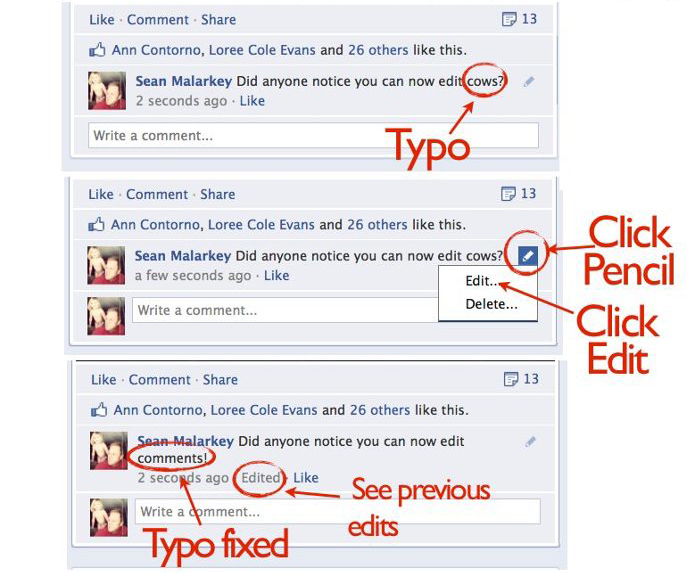
You can edit your comment by clicking the small pencil icon on the right side of your Facebook comment. When you click on the pencil, a drop-down box will appear and give you the option to edit your comment as well as the option to delete it entirely.
For a visual tutorial of how to Edit your Facebook comments, check out this image put together by Sean Malarkey.
How to Edit Comments in Facebook
-Lance Brown